LAB 1

Today’s lab will focus on two ways of creating a new database; through the terminal and Python IDLE.
Software tools needed: the terminal and Python IDLE programming environment.
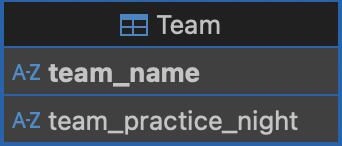
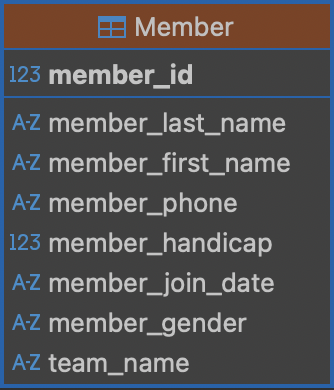
These are the UML representation of Team class and Member class.
Terminal
- Open your terminal, navigate to your Desktop and create(or open if exists) a database from it
cd ~/Desktop sqlite3 mydatabase.db - Enable key enforcement, otherwise there could be any value in Member.Team and we don’t want that
PRAGMA foreign_keys = ON;
Lets make the output readable, making the column names aligned and formats query results for readability only.
.headers on
.mode column
- Create the Team table
CREATE TABLE Team ( team_name TEXT(20) PRIMARY KEY NOT NULL, team_practice_night TEXT(20) ); - Insert sample tuples into Team table
INSERT INTO Team (team_name, team_practice_night) VALUES
('TeamA', 'Tuesday'),
('TeamB', 'Monday');
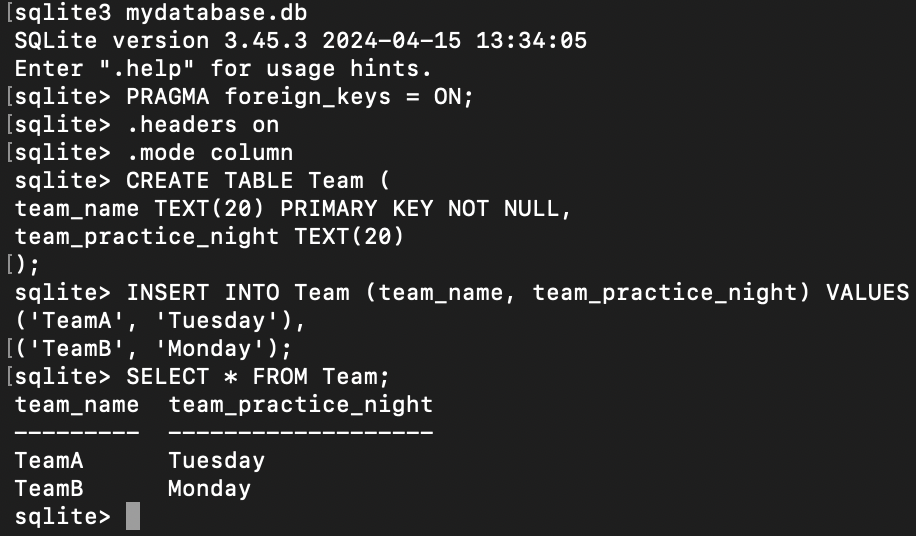
We can verify that the data is inserted by typing
SELECT * FROM Team;
- Create Member table
CREATE TABLE Member ( member_id INTEGER PRIMARY KEY NOT NULL, member_last_name TEXT(20) NOT NULL, member_first_name TEXT(20) NOT NULL, member_phone TEXT(20), member_handicap INTEGER, member_join_date DATETIME, member_gender TEXT(1), team_name TEXT(20) REFERENCES Team(team_name) ); - Insert sample tuples into Member table
INSERT INTO Member (member_id, member_last_name, member_first_name, member_phone, member_handicap, member_join_date, member_gender, team_name) VALUES (118, 'McKenzie', 'Melissa', '6468888888', 30, '2005-05-28', 'F', NULL), (138, 'Stone', 'Michael', '9188888888', 30, '2009-05-31', 'M', NULL), (153, 'Nolan', 'Brenda', '7188888888', 11, '2006-08-12', 'F', 'TeamB'), (176, 'Branch', 'Helen', '9298888888', NULL, '2011-12-06', 'F', NULL); - Lets verify
SELECT * FROM Member;
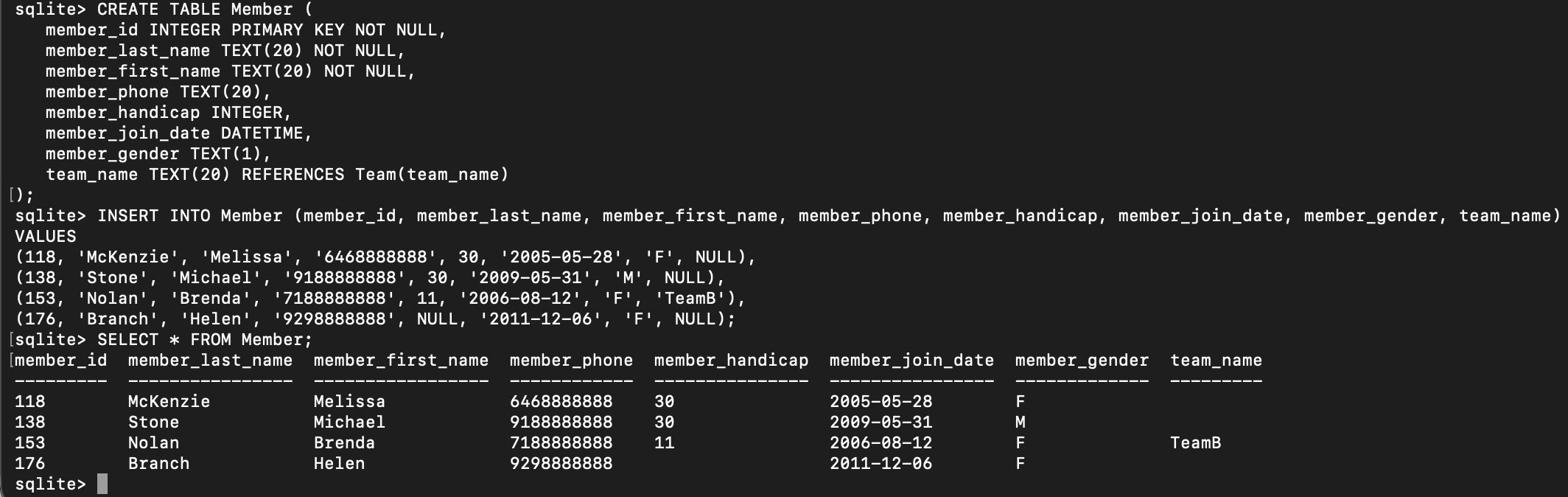
You can double check the tables in the database
.tables
Verify the schemas of both tables
.schema Team
.schema Member
Python IDLE
We will be using the IDLE programming environment for Python, since it is very simple and comes with all distributions of Python.
- To launch IDLE, open the terminal, and in the terminal window, type the following and a new window will launch for IDLE.
idle3 - Import the modules
import os import sqlite3 #Create a folder in your home directory os.makedirs(os.path.expanduser("~/SQLiteDB"), exist_ok=True) #Connect to the database inside that folder conn = sqlite3.connect(os.path.expanduser("~/SQLiteDB/mydatabasePython.db")) cur = conn.cursor() - Enable foreign key
cur.execute("PRAGMA foreign_keys = ON;") - Create Team table
cur.execute(""" CREATE TABLE Team ( team_name TEXT(20) PRIMARY KEY NOT NULL, team_practice_night TEXT(20) ) """) - Insert tuples into Team table
cur.execute("INSERT INTO Team (team_name, team_practice_night) VALUES (?, ?)", ('TeamA', 'Tuesday')) cur.execute("INSERT INTO Team (team_name, team_practice_night) VALUES (?, ?)", ('TeamB', 'Monday')) - Create Member Table
cur.execute(""" CREATE TABLE Member ( member_id INTEGER PRIMARY KEY NOT NULL, member_last_name TEXT(20) NOT NULL, member_first_name TEXT(20) NOT NULL, member_phone TEXT(20), member_handicap INTEGER, member_join_date DATETIME, member_gender TEXT(1), team_name TEXT(20) REFERENCES Team(team_name) ) """) - Insert tuples into Member table
members = [ (118, 'McKenzie', 'Melissa', '6468888888', 30, '2005-05-28', 'F', None), (138, 'Stone', 'Michael', '9188888888', 30, '2009-05-31', 'M', None), (153, 'Nolan', 'Brenda', '7188888888', 11, '2006-08-12', 'F', 'TeamB'), (176, 'Branch', 'Helen', '9298888888', None, '2011-12-06', 'F', None) ] cur.executemany(""" INSERT INTO Member (member_id, member_last_name, member_first_name, member_phone, member_handicap, member_join_date, member_gender, team_name) VALUES (?, ?, ?, ?, ?, ?, ?, ?) """, members) - Verify tables
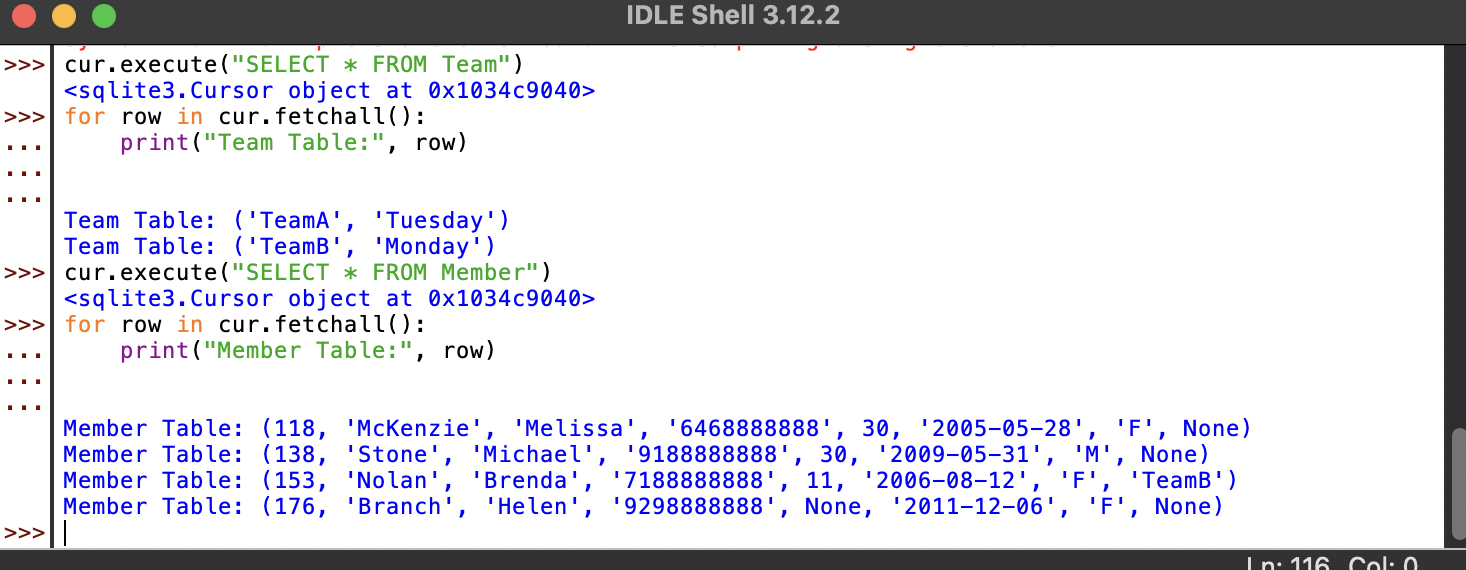
cur.execute("SELECT * FROM Team") for row in cur.fetchall(): print("Team Table:", row) cur.execute("SELECT * FROM Member") for row in cur.fetchall(): print("Member Table:", row) - Save and close
conn.commit()
conn.close()
You will see the following output: