LAB 11
Today’s lab will be a continuation of Flask-WTF forms. We learned how to create a simple form in the previous lab. In this lab, we will learn how to get the information entered by the user in the form and add it to the database.
Since we already connected the database in previous labs, the following code includes the necessary libraries and connects to the database.
from flask import Flask, render_template, redirect, url_for
from flask_wtf import FlaskForm
from wtforms import StringField, SubmitField
from wtforms.validators import DataRequired, Email
import sqlite3
import os

app = Flask(__name__)
app.config['SECRET_KEY'] = 'Secret Key'

BASE_DIR = os.path.dirname(os.path.abspath(__file__))
DB_PATH = os.path.join(BASE_DIR, "mydatabase.db")
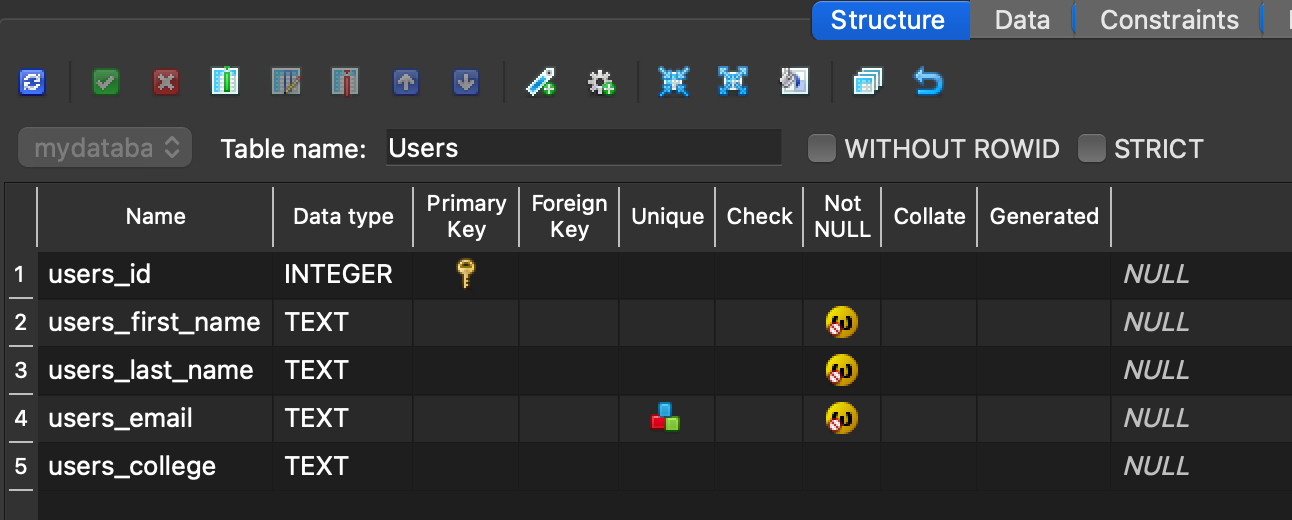
We just need to write out the function to create Users table, and call it. Write a Python function named init_db. The function should create a table named Users (if it does not already exist) with the following columns: an auto-incrementing integer primary key (users_id), non-nullable text fields for first name, last name, and email, and an optional text field for the college name. Ensure the email field is constrained to be unique. Just like the following structure:
The following code calls the function what we just declared, and it creates a form to get data from the user.
init_db()

class UserForm(FlaskForm):
    users_first_name = StringField("First Name", validators=[DataRequired()])
    users_last_name = StringField("Last Name", validators=[DataRequired()])
    users_email = StringField("Email", validators=[DataRequired(), Email()])
    users_college = StringField("College Name")
    submit = SubmitField("Submit")
Fill out the missing data to validate the user’s inputs. We also use try and except to ensure that the email entered is unique.
@app.route("/", methods=["GET", "POST"])
def index():
    form = UserForm()

    if form.validate_on_submit():
        # fill out the missing data
        # fill out the missing data
        # fill out the missing data
        # fill out the missing data

        conn = sqlite3.connect(DB_PATH)
        cursor = conn.cursor()

        try:
            cursor.execute('''
                INSERT INTO Users (
                    users_first_name,
                    users_last_name,
                    users_email,
                    users_college
                )
                VALUES (?, ?, ?, ?)
            ''', (users_first_name, users_last_name, users_email, users_college))
            conn.commit()
        except sqlite3.IntegrityError:
            conn.close()
            return "Error: This email is already registered."
        conn.close()
        return redirect(url_for("success", name=users_first_name))
    return render_template("form.html", form=form)


@app.route("/success/<name>")
def success(name):
    return f"{name} was added to the database."

if __name__ == "__main__":
    app.run(debug=True)
Now that we have the logic of the website, we are just missing the design. You can use the following HTML file or customize it however you like.
<!DOCTYPE html>
<html>
<head>
    <title>User Form</title>
</head>
<body>
    <h2>Enter Your Information</h2>

    <form method="POST">
        {{ form.hidden_tag() }}

        <p>
            {{ form.users_first_name.label }}
            {{ form.users_first_name(size=40) }}
        </p>

        <p>
            {{ form.users_last_name.label }}
            {{ form.users_last_name(size=40) }}
        </p>

        <p>
            {{ form.users_email.label }}
            {{ form.users_email(size=40) }}
        </p>

        <p>
            {{ form.users_college.label }}
            {{ form.users_college(size=40) }}
        </p>

        <p>{{ form.submit() }}</p>
    </form>

</body>
</html>
To run it:
- Go to the Bash console.
- Change the directory to mysite.
- Install one of the following packages, whichever works for you:
pip install email-validator
pip3.12 install --user email-validator
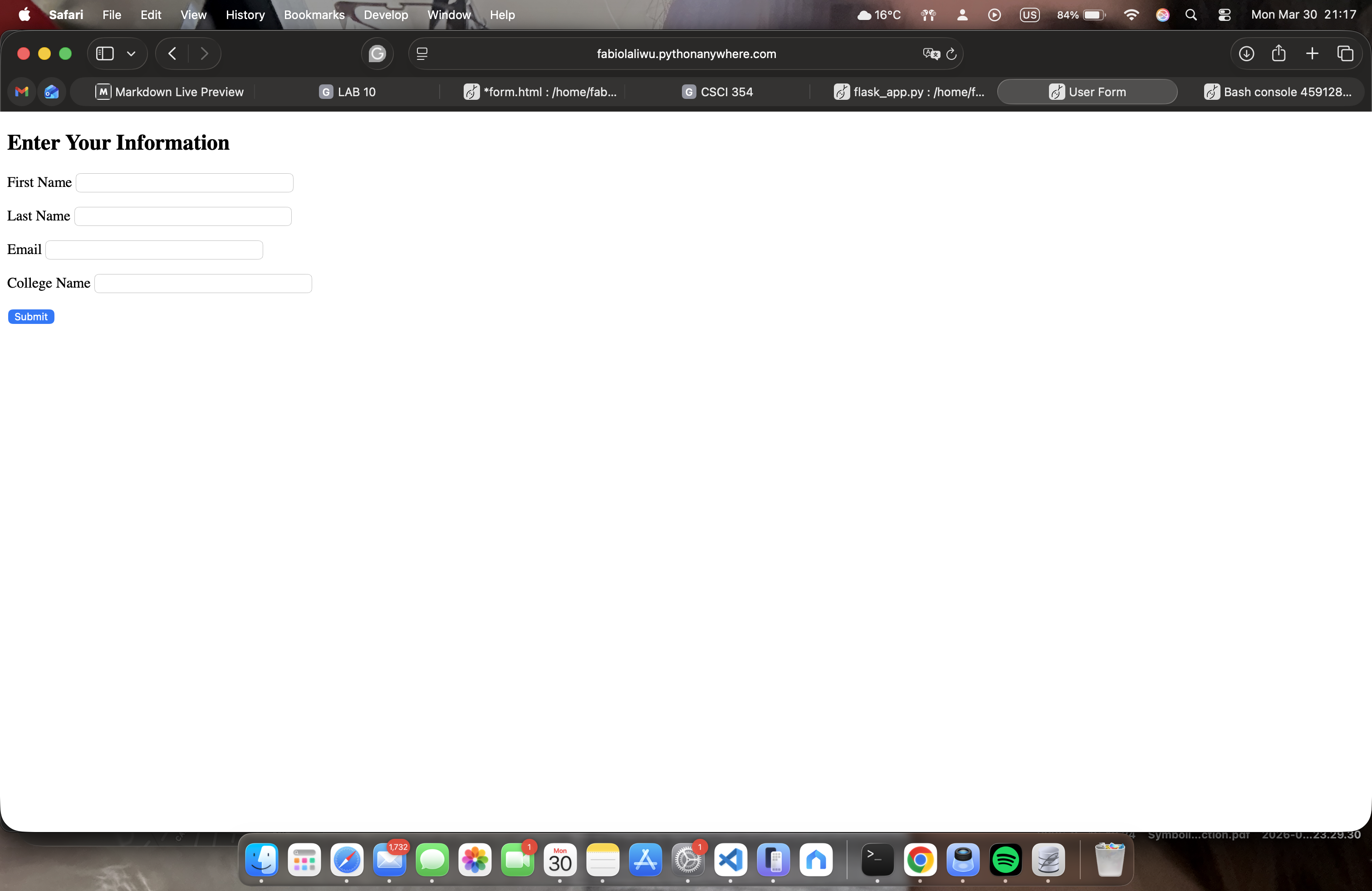
When you open your link, should look like the following:
Let’s enter some data and submit it. After submission, it should display the following page:

Now, let’s try entering a duplicate email. An error should be displayed as shown below:
- only checks for email, not name nor last name.

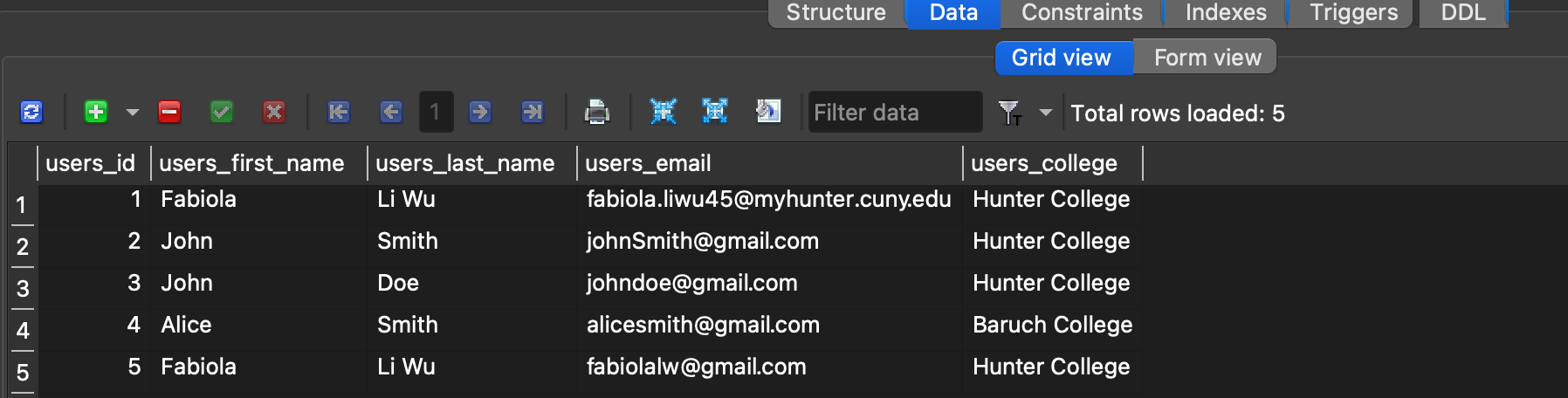
To see the data that we have submitted, we can open the database directly and check it:
Or we can create a Python function to display it:
@app.route("/users")
def users():
    conn = sqlite3.connect(DB_PATH)
    conn.row_factory = sqlite3.Row
    users = conn.execute("SELECT * FROM Users").fetchall()
    conn.close()

    return "<br>".join([
        f"{u['users_first_name']} {u['users_last_name']} -
        {u['users_email']} ({u['users_college']})"
        for u in users
    ])
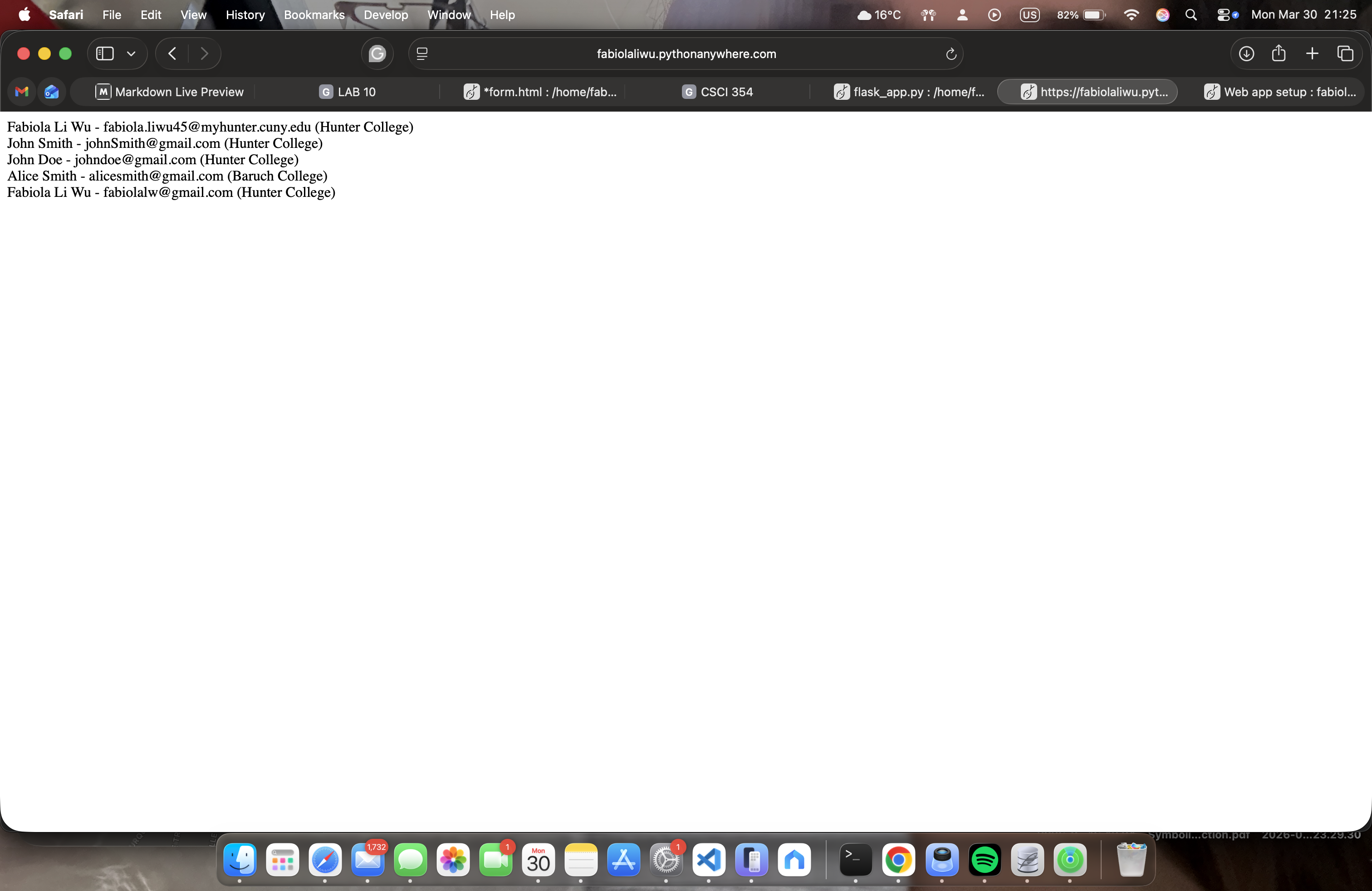
We can view the users by navigating to /users, which will display the following page: